Camera endoscope / OTG USB
One Music PlayerLibraries & Demo
3.1423.00 Reviews
- Version
- 47.1.0
- Installs
- 1.00M
- Age Rating
- Everyone
Screenshots
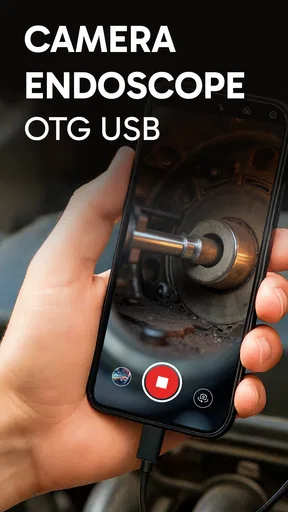
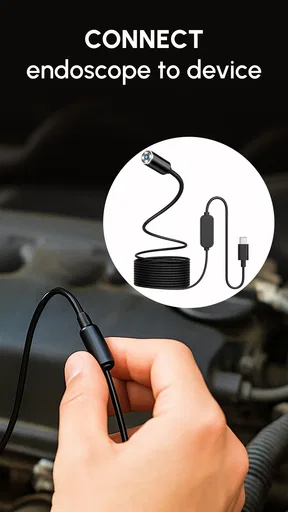
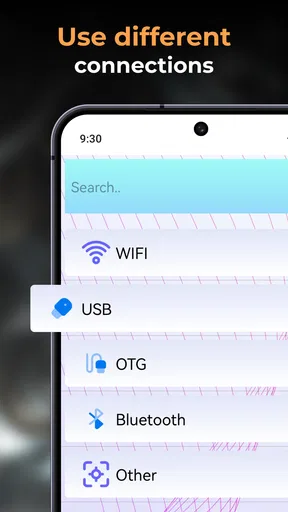
Our Review of Camera endoscope / OTG USB
 Analysis by Appyee
I reach for Camera Endoscope / OTG USB when an ordinary phone camera cannot get close enough to show me what is going on. It is a viewing app for a compatible endoscope camera or other connected device, turning a phone screen into a useful monitor for awkward, enclosed spaces. That focused purpose is its appeal: it is not an editing suite or a general camera replacement, but a practical way to see a live view through hardware that can reach places my phone cannot.
What the app is like to use today
Published by One Music Player, the app sits in the practical-tools corner of the Libraries & Demo category. It is free to install, rated for Everyone, and has an average rating of 3.4 from around 8,400 ratings. More than a million installs suggest that the basic idea appeals to people who want to pair a phone with inspection equipment, although the rating is a reminder that the experience may depend heavily on the connected camera and the phone as well as the app.
The current version is 46.0, and the app first appeared on August 31, 2020. Those details give a useful sense of its history, but a version number alone does not tell me what changed between releases. I would treat the present app as a focused companion for compatible hardware, rather than assume that its age or version guarantees a particular level of refinement on every device.
The Handy Gadget You Never Knew You Needed
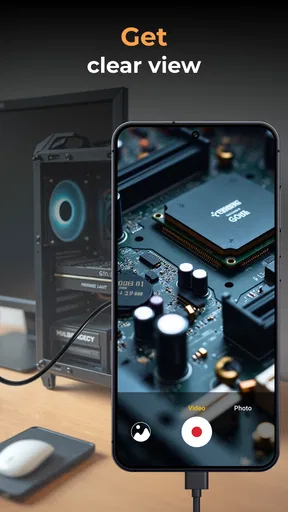
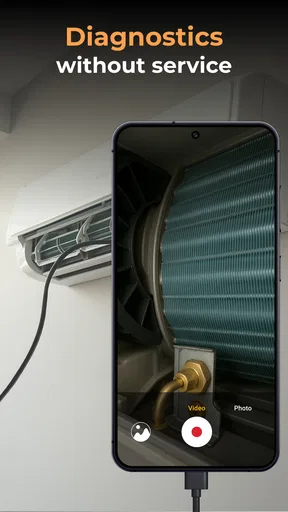
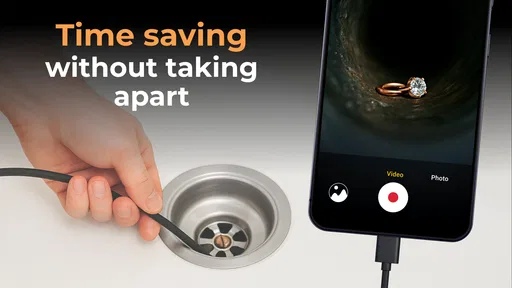
So, what’s the deal with this app? Essentially, it transforms your smartphone into a high-tech viewing device for those hard-to-reach places. Imagine being able to peer into your car’s engine, check out plumbing, or inspect your electronics without having to dismantle everything. Sounds cool, right?
Getting Started with Ease
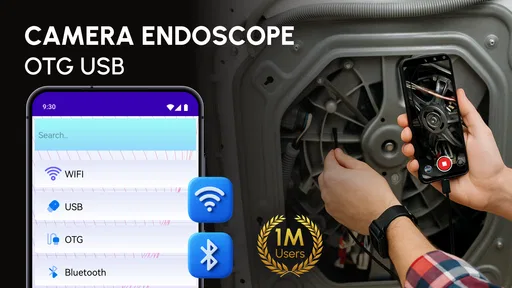
First things first, installation is a breeze. Just plug the camera into your phone using the OTG USB (On-The-Go USB) adapter. If your phone supports OTG, you're golden. Download the Camera Endoscope / OTG USB app, and you’re ready to dive into the world of micro-exploration.
The interface is pretty intuitive. You don’t need to be a tech wizard to navigate through the settings. Just fire up the app, and boom, you’ve got a live feed from the camera right on your screen. It’s that simple.
Features That Stand Out
One of the killer features of this app is its real-time video recording. You can capture what you see and save it for later. This is super helpful if you're trying to diagnose a problem and need a second opinion.
It also boasts adjustable LED lights on the camera, which are perfect for illuminating dark spots. Plus, the app allows you to take snapshots, which is great for documenting whatever hidden wonders you uncover.
Practical Uses and Everyday Magic
Let me tell you, this app is not just for the pros. Whether you’re a DIY enthusiast, a car mechanic, or just someone curious about the nooks and crannies of your home, this app is a must-have.
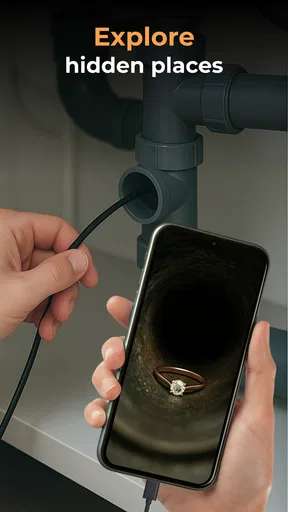
I've used it to check behind my fridge for lost items, inspect the gutters, and even take a peek at a clogged drain. It’s like having a secret superpower in your pocket!
Getting a reliable view from the hardware
The important practical question is not just whether the app opens, but whether the phone and camera work together. OTG support is a requirement for a USB-connected setup, and the camera itself must be compatible. If the app shows no picture, I would check the connection and OTG support before assuming the camera is faulty: disconnect and reconnect the device, make sure the plug or adapter is seated, then reopen the app. This simple order can save time when troubleshooting.
It also helps to test the setup somewhere easy to reach before guiding the camera into a cramped space. I would check that the live image appears, that movement at the camera end is visible on screen, and that the light is useful at close range. A brief test recording can confirm that the footage is being saved in a way I can find later. Doing these checks first is much less frustrating than discovering a connection problem halfway through an inspection.
A useful workflow for small inspections
For a household issue, I would start with a clear question: is there an obstruction, a loose part, or visible damage? Then I would move the probe slowly and pause when something relevant appears. Quick sweeping motions make it harder to interpret the image, especially in a narrow space where the camera can rotate or bump against the surface. A still snapshot is handy when I need to compare a detail later, while a short video is more useful if the position or movement of the camera matters.
For example, if a small object slips behind an appliance, I would first use the live view to locate it, then take a picture once I have a clear angle. For a plumbing concern, I would treat the camera as a way to inspect visible conditions, not as proof that a pipe is sound throughout. This distinction matters: a close-up view can help me decide what to do next, but it cannot replace a qualified repair when the problem is serious or hidden beyond the camera’s reach.
Where it fits among inspection options
Compared with using a phone’s built-in camera, an endoscope setup has the obvious advantage of reaching around bends and into tight openings. A flashlight and a mirror are simpler for a shallow gap, and they avoid the need to connect another device. For a wider job or a professional inspection, dedicated equipment may be more suitable because the app is only one part of the arrangement; the camera’s reach, image quality, and handling shape the result too.
I see this app as a middle ground: more revealing than peering into a gap unaided, but not a substitute for specialist tools or expertise. It makes the most sense for occasional checks around the house, hobby projects, or a quick look at an accessible part of a vehicle. Someone who needs repeatable, detailed inspection for work should compare the whole camera system, not judge the setup by the app name alone.
What existing users should keep in mind
If you already use it, the move to version 46.0 gives you a clear current version to check against the one installed on your phone. I would not assume a particular new feature or changed workflow from that number alone. Instead, after updating, I would reconnect the camera and test the live image, lighting, snapshots, and recording before relying on them for a task. That quick check is especially worthwhile if the app is part of a repair routine.
The app is free to install, with optional in-app purchases listed from $0.99 to $99.99 per item. I would keep that in mind before making a purchase: first confirm that the basic connection works with your particular camera and phone, then decide whether any paid option is relevant to your use. If you only need an occasional look into a hard-to-reach spot, there is little reason to spend before you know what the free experience offers on your setup.
Limits, expectations, and sensible precautions
The main limitation is compatibility across the complete chain: phone, OTG adapter, camera, and app. A failure at any point can interrupt the view, and troubleshooting may feel less straightforward than opening a built-in camera app. The app cannot make an incompatible camera work, nor can it improve what the camera hardware can physically see. I would also avoid treating a dim or unclear image as a definitive diagnosis; repositioning the probe or improving the light may help, but sometimes the equipment simply cannot show enough detail.
There is a practical safety boundary too. I would not push a probe into a powered appliance, moving machinery, or a place where it could become stuck or damaged. For drains and other dirty spaces, I would protect the equipment and clean it appropriately after use, following the camera maker’s guidance. Those precautions are not special app features, but they make the difference between a useful inspection and an avoidable mess.
Who is likely to appreciate it
This is a sensible pick for curious homeowners, DIY users, and people who already own a compatible USB endoscope and want a phone-based viewing option. It can help answer small, specific questions without taking apart a fixture just to get a first look. I would recommend it most when the task is occasional, the target is accessible to the probe, and a rough visual check is enough to decide what to do next.
I would skip it if I wanted a camera app that works independently, if my phone does not support OTG, or if I needed guaranteed professional-grade inspection. It is also not the right answer when a problem calls for a full repair assessment rather than a peek. In those cases, a standard camera, a mirror and light, or a professional service may be simpler or safer.
Final Thoughts
In the end, the Camera Endoscope / OTG USB app does exactly what it promises and then some. It’s user-friendly, effective, and downright fun to use. Whether you need it for professional work or just to satisfy your curiosity, this app is definitely worth a spot on your device.
So, if you’re ready to explore the unseen corners of your world, give this app a try. You might just find it’s the gadget you never knew you needed, but now can’t live without!
Privacy and Permissions
See what permissions an app requests and how it handles your data.
- Wi-Fi connection information
- view Wi-Fi connections
- Other
- view network connections, full network access, control vibration, prevent device from sleeping, Google Play license check
Verdict
Strengths of Camera endoscope / OTG USB
- Easy to connect and use with OTG support.
- Compatible with a wide range of devices.
- Provides high-resolution video quality.
- Adjustable LED lights for better visibility.
- Durable and water-resistant design.
Limitations of Camera endoscope / OTG USB
- May require additional app for full functionality.
- Limited compatibility with some older devices.
- Battery drains quickly during extended use.
- Some users report occasional connectivity issues.
- Not suitable for professional-grade inspections.
Other Releases by One Music Player
View All
Universal Tv Remote-Cast to TV
House & Home4.1

HD Camera for Android
Beauty4.5

Smart Watch - Clock Wallpaper
Personalization4.6

AirTag Scan: Bluetooth Tracker
Tools4.5
Similar Picks in This Category
View All
PGT: GFX, Launcher & Optimizer
Trilokia Inc.4.5

AusweisApp Bund
Governikus Service GmbH3.7

Cardboard
Google LLC3.2

Gamers GLTool with Game Tuner
Trilokia Inc.4.5

Multi Web Chat - Read Secretly
World Scan & Cleaner3.8

App Cloner Premium & Add-ons
App Listo1.9
Frequently Asked Questions
What is the Camera Endoscope/OTG USB app used for?
The Camera Endoscope/OTG USB app is designed to interface with external USB camera devices, such as endoscopes, for inspection purposes. It allows users to view real-time footage from their camera on their smartphone or tablet, making it ideal for examining hard-to-reach areas in homes, vehicles, or other technical environments.
Which devices are compatible with the Camera Endoscope/OTG USB app?
The app is compatible with most Android devices that support OTG (On-The-Go) functionality. Users must ensure their device supports OTG and is running a compatible version of the Android operating system. It’s advisable to check device specifications or contact the manufacturer if unsure about compatibility.
How do I connect my endoscope to the app?
To connect your endoscope, first ensure your device supports OTG. Use an OTG adapter if necessary, and connect the endoscope to your device. Launch the app, and it should automatically detect the external camera. Follow any on-screen prompts to start viewing the live feed from your endoscope.
Are there additional features available in the app?
Yes, the Camera Endoscope/OTG USB app often includes features such as image capture, video recording, and adjustable resolution settings. Some versions may offer additional tools like image rotation and brightness adjustment, which can enhance the inspection process and improve visibility in various environments.
What should I do if the app does not recognize my camera?
If the app fails to recognize your camera, ensure your device supports OTG and that the connection is secure. Try restarting your device and reconnecting the camera. If issues persist, check for app updates or consult the app's support page for troubleshooting tips. Compatibility issues may also arise if using an unsupported device.
